Testing was not a big work and time. Your programming was bigger work and time i think. 
LG
Roland Hoffert
1 Like

Great success!
I am not able to connect to the turn table and control it from my Android 13 phone. Many thanks for your hard work.
On android12 i think it works fine. Teste rotation, tilt, speed and connection is ok. The only thing i must test in the near future is the donate button. 
LG
Roland Hoffert
Make sure the turntable light is flashing
Are you getting anything in the device list?
Can you try restarting the phone
It should connect like the test app did
Let me know what it does
Thanks
Thanks!
That’s the best feature  it gives you a warm fuzzy feeling inside
2 Likes
One thing.
After installation i was asked for bluetooh. Then i goe to the search butten but id finds nothing. So i close the app and reopening the app , then i was asked for location. After this i find the DATT in the list and can connect to it
1 Like
Ok thanks I’ll look into this, maybe something needs to be done in a different order to fix that, I think my Android 11 did the same thing, maybe the location popup is being hidden by the Bluetooth popup I will check
1 Like
For the stopp button. RT Zero, home or home pos. ? So i think it is more intuitive, what do you think
It is for stopping the sequence in case of failure (losing trackking, object failed from DATT) aka the panic STOP button
I will update the Quick Guide today to make it more clear , but anybody need explanation for a STOP sign?
But …
The main reason the button is there is to STOP and interupt the sequence and less for returning the DATT to it’s original position as for that , there are already R & T ZERO buttons .
2 Likes
I could maybe do a pause button but that would be some complex coding to allow it to be continued from any position in the sequence, I’ll think about it,
2 Likes
With a panic stop button, all movement is usually frozen and the device stops in the current position. It would then be more of a cancel or reset function (because it stops and goes to homeposition at the moment). But it doesn’t really matter, the main thing is that the program works and is practical and we can use the dual turntable universally. thanks for your work 
1 Like
Yeah cancel or reset button more or less to be precise.
Thanks Roland
1 Like
I would love it but only if it also pause the scanning function what we know already it is impossible . I don’t think it is nesesery to do all the heavy work for no reason.
1 Like
Updated version with minor tweaks, like screen saver mode disabled, added step control, may be useful for some people, added tilt speed ,
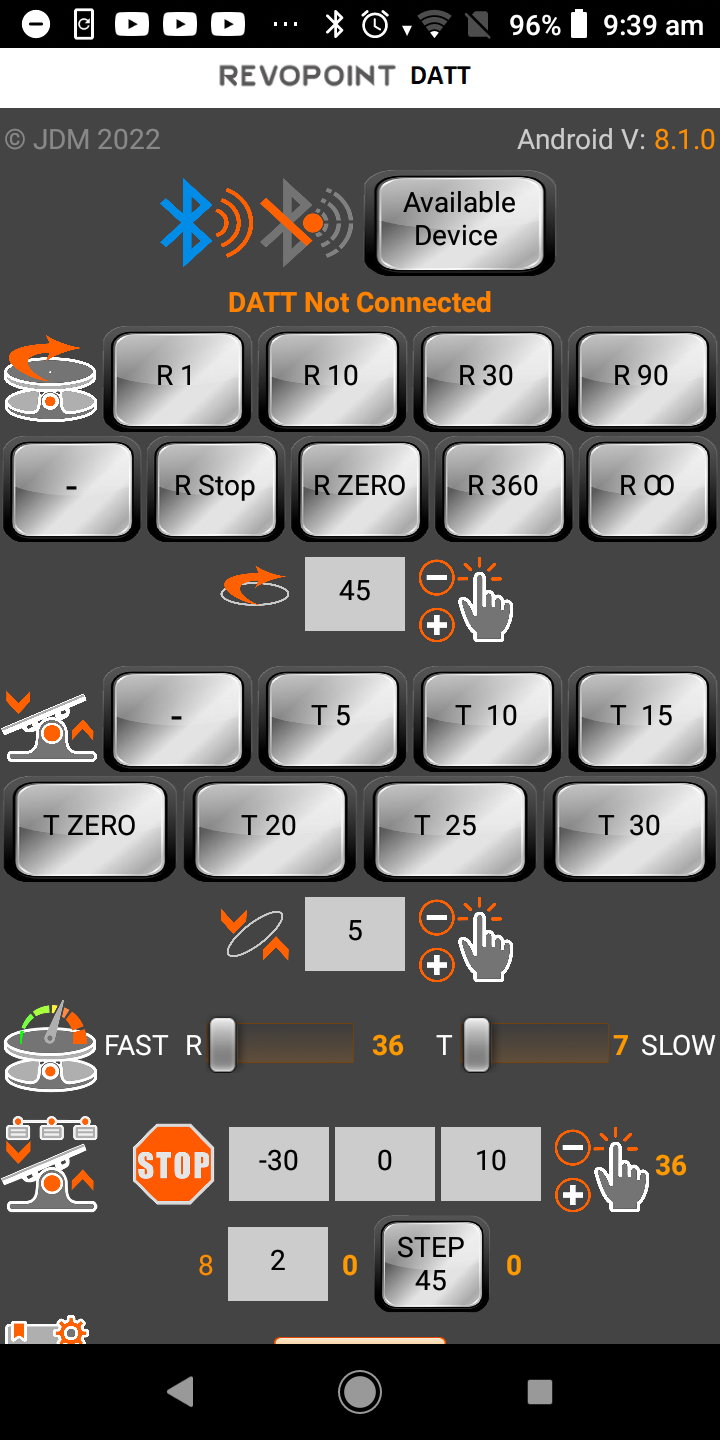
3 Likes
@Johnathan Thank you, for me it’s still the same case after installing it that asks if it’s allowed to recognize devices in the area, but then doesn’t recognize any. Only after I have exited and restarted it does the query come up with the location detection and then the Bluetooth devices in the area are also detected. But after this one-time restart everything works fine.
1 Like
Thanks I will have to look into this, sometimes it has done that with me so I will hopefully be able to find what it is
1 Like
Same here , I was thinking it was something on my side. But after the first be time , it always works after without issues.
Ok I know what is happening , when you open the first time after installation , I see the Location permission showing up for a blink of an eye then it vanishing and another pop up asking to turn the BLE on .
That’s the reason I need to restart it after installation to make it works normally.
1 Like
I think i know what it is then, i will try a fix for it later today and send it to you for test,
2 Likes