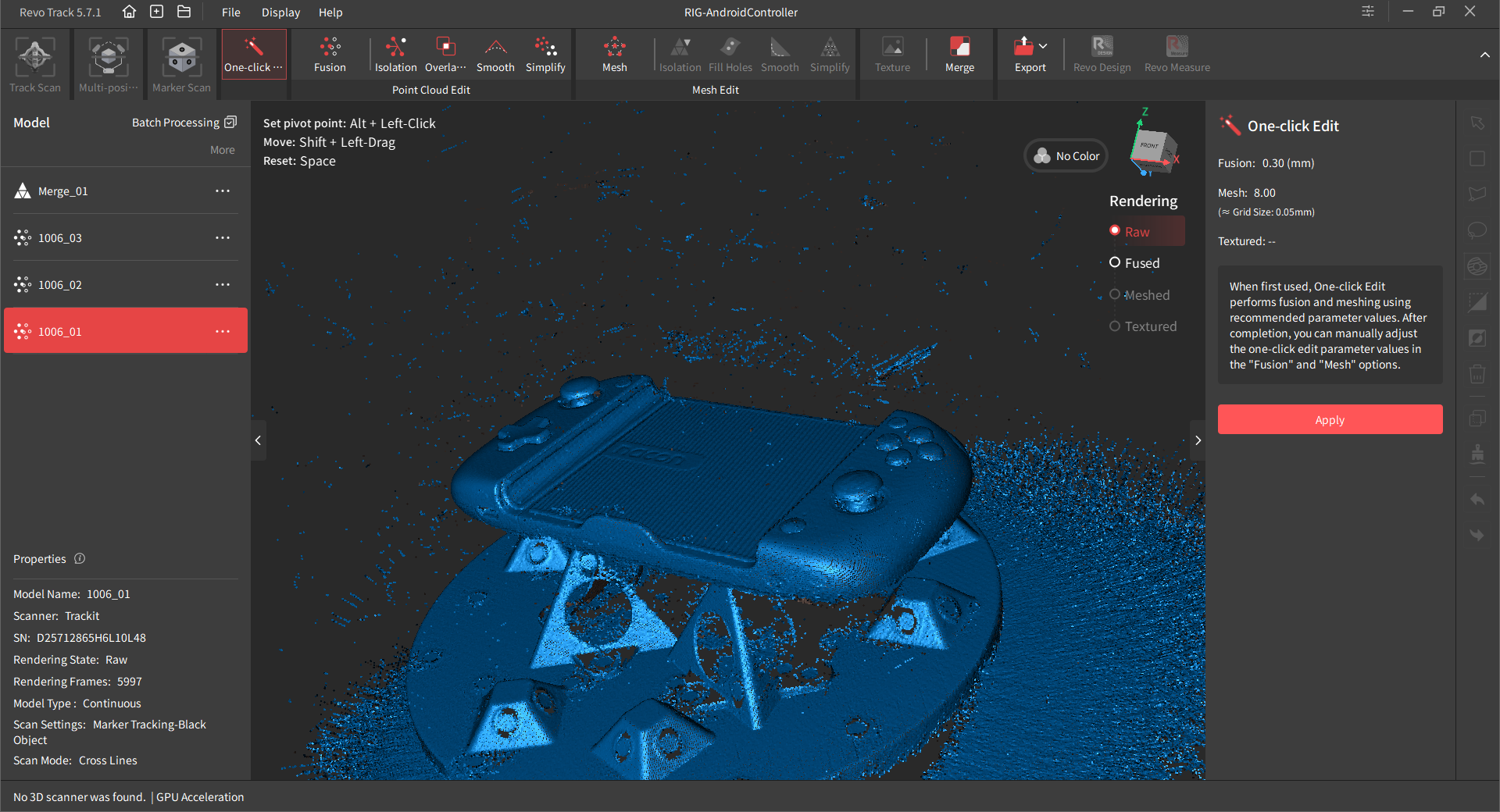
I am facing this issue with scanning a controller, after the scan, when I fuse the model it removes the thumbstick part, it doesn’t give me the option to keep it.
you can see in the screenshots of raw versus fused. I tried many fusion settings, lowered it as much as I can and it still produces the same fused cloud with missing thumbsticks.
I tried scanning it with a different scanner and the other software handled it much better even though I used 0.4mm resolution for the cloud (other software defines scan resolution from start).
the Trackit is amazing honestly, I kind of love revoscan more, but these weird things that happen now and then makes me rely less on it.
a good suggestion from me here would be, to give me a tool in RAW view before fusing that lets me tell the software to NOT remove the highlighted area for example, so if this happens I still have the option to tell the software, hey, this part is important and it is part of the scan please keep it in the fused mesh.
My theory based purely on observation: A few versions ago a new fusing algorithm that provides cleaner point clouds (especially for merging) was introduced that is inadvertently cleaning parts of scans that are not contiguous (or are marginally so).
Assuming that’s true this is something that should probably have a checkbox or slider setting (strength/aggressiveness). Most of the time this is helpful and wanted, but there’s always the odd scan where you just don’t want it to remove data you need regardless of the other benefits.
You can mitigate it somewhat by fusing at a larger point distance as that can sometimes make the connections between parts of scans less tenuous.
I did try larger point distance but it keeps removing the thumbsticks, and yes I agree with you, there needs to be a way to reduce the aggressiveness of the algorithem, in the other software I use, nothing gets fused (at least thats how it appears to be) until I cut and remove any unwanted data which can make things much much faster. I don’t know if this is the same here? its confusing realy between different scanners.
So the lower screenshot is what it look after fusing ? Everything else is all removed ? I wish it do to my scans but the stuff and plate always there after fusing .
I saw the issue with the same parts being removed because it is actually disconnected from the main scan and is round , the algorithms thinks it is a marker and removing it in process due to nature and form if it .
I will have to bring it to a table on Monday and see if there can be done anything to avoid removing anything automatic .
I will see if the standard fusing Algorithms can be added again to the fusing settings as that helps in preserving scans but cost more times in cleaning .
Yes, this is only after fusing, I just removed the other unwanted items, as you told me before to elevate the model that I want to scan and it is much easier to clean now, but this is the new issue im facing, not with everything, but if I cannot control such issue, I don’t want to face it in the future if this was something important like scanning for a client.
I don’t mind the extra work if I will have extra control over the cloud.
I just wanted to add, the other software I am using, can somehow distinguish between scanned data, noise, and unwanted data somehow, which is probably the reason why it is not removing the thumbsticks, and the mesh comes out super clean.
If it is detached and round it will consider it as noise , the algorithms are more usable for complete scans without lose parts … When I scanned a plant with leaves , I only used that’s standard fusing to keep the lose leaves intact , once I use advanced fusing the leaves was gone considering a debris .
Hopefully they ring back the standard fusing Algorithms again in next updates .
The algorithms sees it as detached lose points and if that is round on top it get cleaned , the algorithms was great for organic forms but the scan can’t have lose parts . It would not remove anything that is attached to the main scan.
Anyway guys I will report everything on Monday . Thanks for your feedback

 but yeah, no I always do it manually