Issues with fusion - model losing scan data?

I have successfully scanned an object with my MetroX scanner.

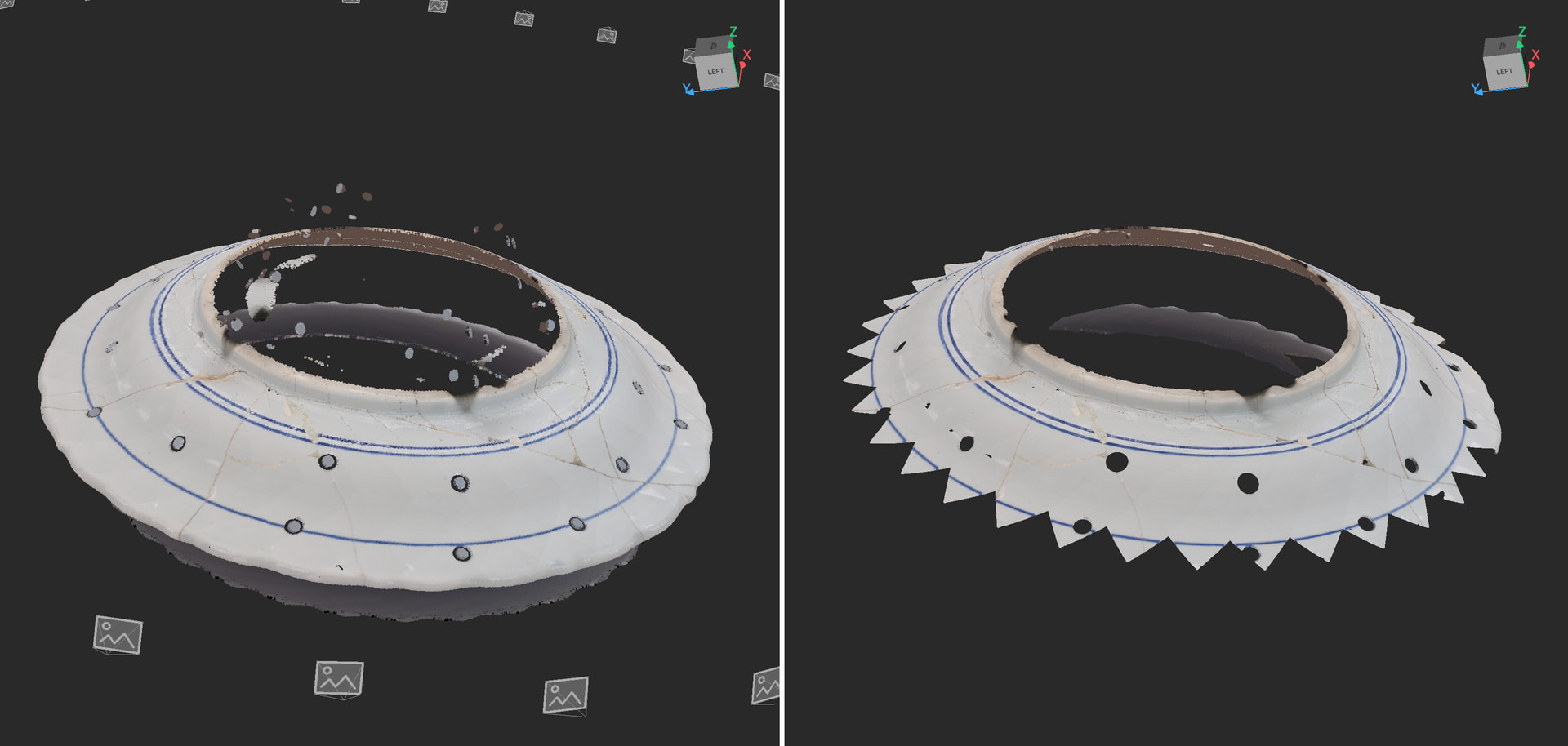
When I go to use Fusion, the results are odd- the edges of the scan are clipped and geometric…

I’ve tried a lot of different settings to no avail. Any thoughts?

Raw point cloud on the left, after Fusion on the right:

Hi @Showdown

Never saw anything like that before , did you used the manual fusing settings ? You set the fusion value to 0.10 mm ?

What program you use ? Did you switched already to Revo Metro?

Using RevoScan5MetroX on my MBP M1

This is the result with both one click and manual fusion point distance at .05mm. The gaps are still there regardless of the point distance I use- the resolution changes but the gaps remain.

That is not right behavior , please install Revo Metro and use it with your MetroX

You may import that project to Revo Metro and process it there , let me know if it worked , if not the project may be corrupted .

If not working in Revo Metro please send email to customer@revopoint3d.com and include the zipped project folder and link to this thread for reference .

The technician will evaluate the issue for you .

I was able to get it working with Revo Metro. Unfortunately auto-turntable mode doesn’t work with Revo Metro

1 Like

I used many times Auto turntable mode in Revo Metro.

Did you have issues to connect the turntable ? What was the issue exactly , that prevented you from using it ?

No matter what I tried, the FPS would stay at 0 and though the turntable would rotate, the scanner would not collect any data. I will use RevoScan5MetroX for turntable and Revo Metro for everythign else I guess…
Ok , but that is really strange behavior

The Revo Metro is the new software to go as there will be no more updated to RevoScanMetroX in the future.

When you decide to move on permanently, you will have to calibrate the scanner on Revo Metro and can’t go back, so take your time .

In the future please contact direct customer@revopoint3d.com