# Alignment/Merge
**URL:** https://forum.revopoint3d.com/t/alignment-merge/40820
**Category:** Discussions
**Created:** [October 21, 2025, 4:55am UTC](https://forum.revopoint3d.com/t/alignment-merge/40820 "2025-10-21T04:55:43Z")
**Posts on this page:** 7
**Page:** 1
### Author:  [@bobpin](https://forum.revopoint3d.com/u/bobpin)
#### Post date: [October 21, 2025, 4:55am UTC](https://forum.revopoint3d.com/t/alignment-merge/40820/1 "2025-10-21T04:55:43Z")
Hi,
“Miraco”
Current Revoscan 5
Trying to Align/Merge scans and I get error " Overlapping area is less than 10%".
How do I get the scans to the 30% required.
I have watched Youtube content and they make it look easy but I cannot make it work.
Regards
Bob


---
### Author:  [@fthouret](https://forum.revopoint3d.com/u/fthouret)
#### Post date: [October 21, 2025, 8:42am UTC](https://forum.revopoint3d.com/t/alignment-merge/40820/2 "2025-10-21T08:42:56Z")
Maybe you can show us some screenshots 🙂
---
### Author:  [@PUTV](https://forum.revopoint3d.com/u/PUTV)
#### Post date: [October 21, 2025, 10:14pm UTC](https://forum.revopoint3d.com/t/alignment-merge/40820/3 "2025-10-21T22:14:03Z")
Hi @bobpin
Use marker points and manually select points on the same features on both scans
Overlap is needed so the same features appear on both scans for identification , do both scans share the same features ?
Check with the points , if you can’t find at least 3 the same features on both scans , you can’t merge them .
You will need to scan different angles to make sure both scans share the same features, there is no other way around .
---
### Author:  [@Xile6](https://forum.revopoint3d.com/u/Xile6)
#### Post date: [October 22, 2025, 1:45am UTC](https://forum.revopoint3d.com/t/alignment-merge/40820/4 "2025-10-22T01:45:16Z")
Looks like you scanned the inside and then the outside
You need a 3rd scan with a mix of both
You have nothing to connect the two scans you have together
---
### Author:  [@bobpin](https://forum.revopoint3d.com/u/bobpin)
#### Post date: [October 22, 2025, 3:57am UTC](https://forum.revopoint3d.com/t/alignment-merge/40820/5 "2025-10-22T03:57:43Z")
Thanks,
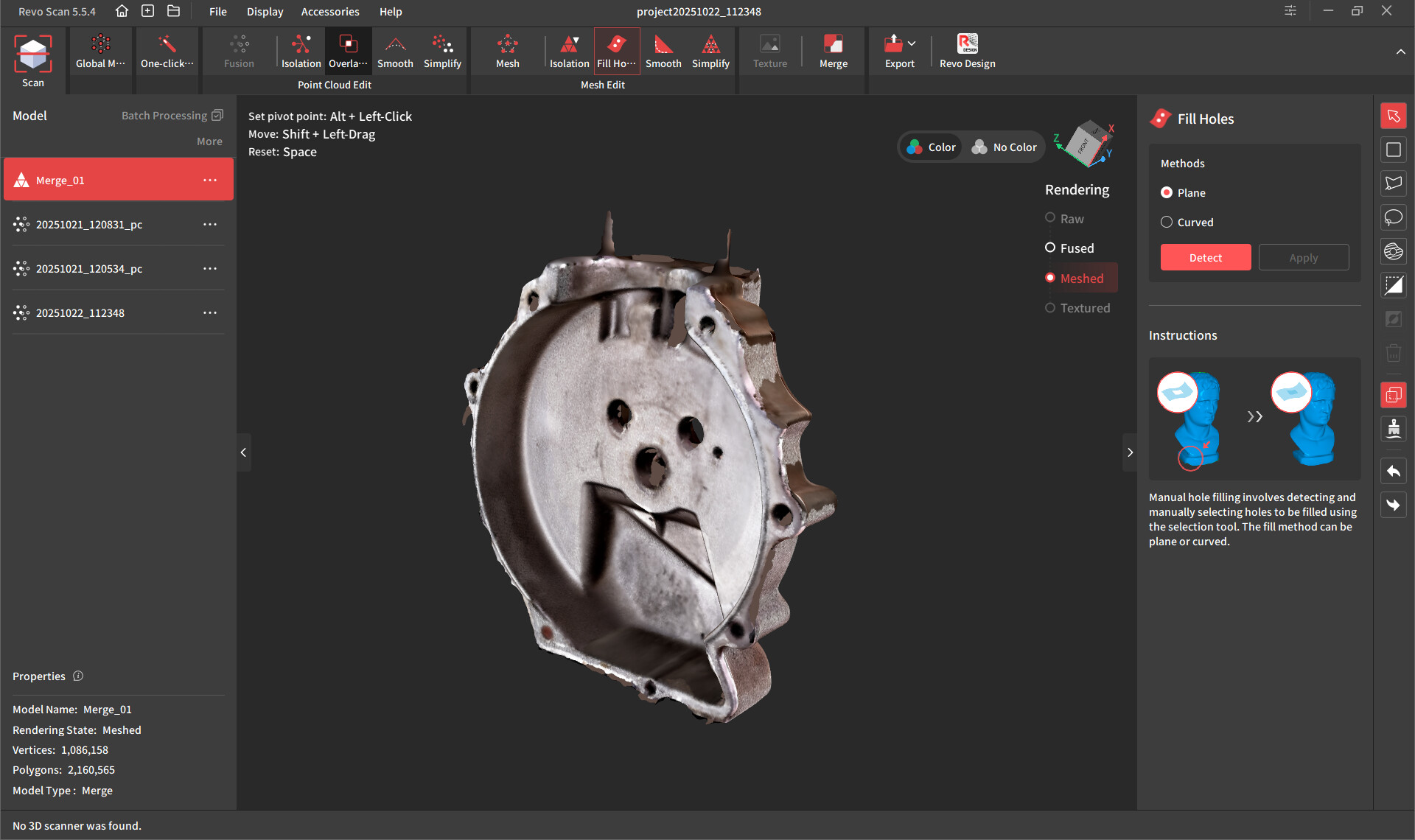
Have attached Shots
Bob
---
### Author:  [@bobpin](https://forum.revopoint3d.com/u/bobpin)
#### Post date: [October 22, 2025, 4:00am UTC](https://forum.revopoint3d.com/t/alignment-merge/40820/6 "2025-10-22T04:00:51Z")
Thanks @PUTV , Tried Manual did not work for me.
Bob
---
### Author:  [@bobpin](https://forum.revopoint3d.com/u/bobpin)
#### Post date: [October 22, 2025, 4:04am UTC](https://forum.revopoint3d.com/t/alignment-merge/40820/7 "2025-10-22T04:04:57Z")
Thanks@[Xile6](https://forum.revopoint3d.com/t/alignment-merge/40820/4),
I scanned as you suggested and have attached screenshots.
I have a Lot to learn.
Bob